
News & Weather Reports

Deliver timely news and weather your listeners can rely on

Pull in news feeds and localised weather data, format them for broadcast, and get them on air on time — every time.

Deliver timely news and weather your listeners can rely on

Live Weather Data

Automatically pull in up-to-date forecasts and current conditions for any location, formatted and ready to read on air.

News Feed Integration

Connect to Studiio's built-in news service or add your own RSS, Atom, JSON, or XML feeds to keep your newsroom stocked around the clock.

AI Script Generation

Select the stories or weather data you want to cover and let AI write a broadcast-ready bulletin in seconds.

A newsroom and weather desk built into your dashboard

Aggregate content from Studiio's built-in news service across six countries, or connect your own local feeds. Pick the stories you want to cover, hit Generate AI script, and get a broadcast-ready bulletin written in your station's voice — no rewriting required.
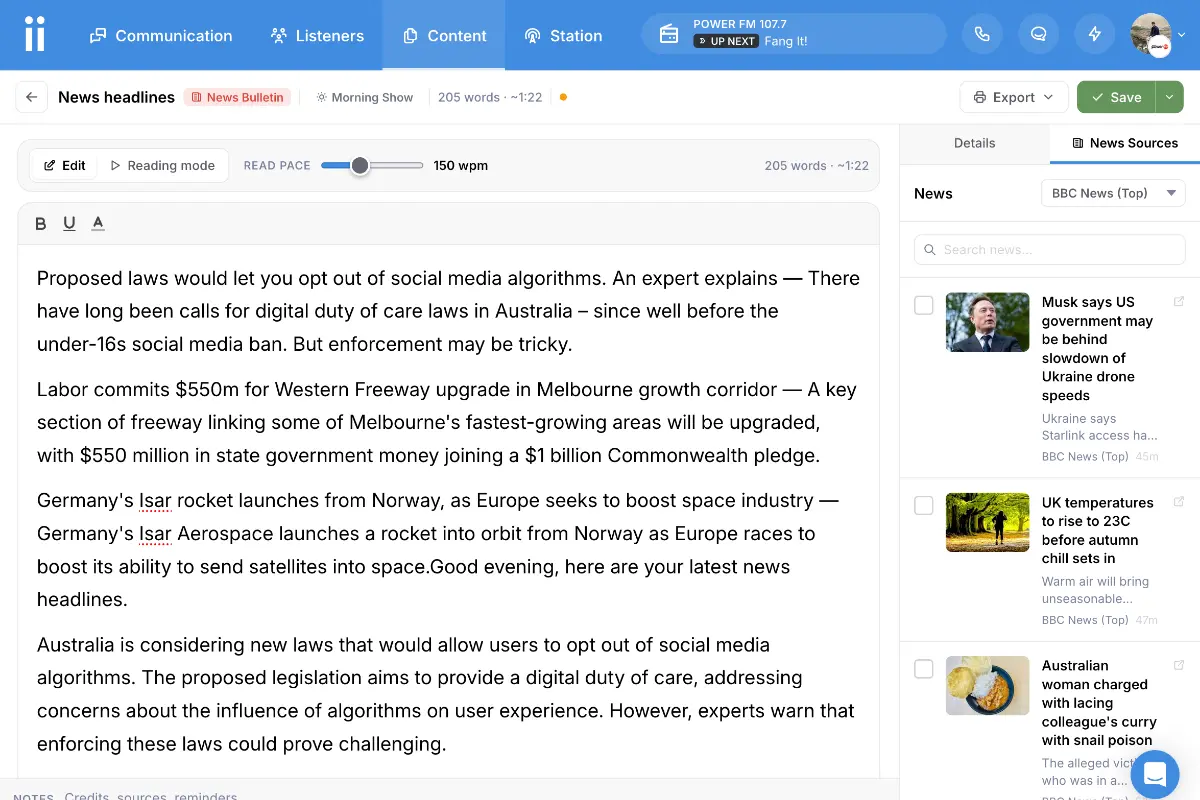
Dashboard showing the news wire with article cards, category filters, and AI script generation

Weather and news on every presenter's screen

Live weather conditions, a 5-day forecast, and the latest headlines appear directly in the Studio Panel, refreshed automatically throughout the broadcast day. Presenters always have current information at a glance — no tab switching, no manual refresh needed.
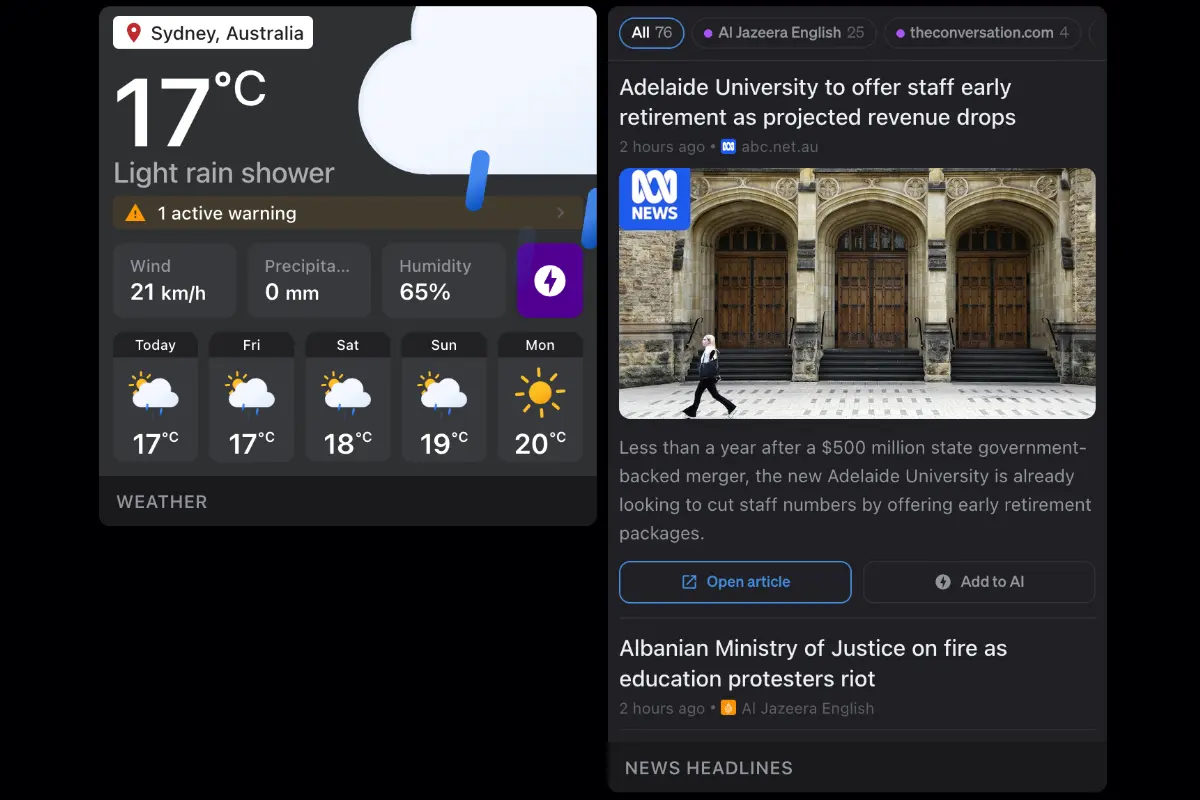
Studio Panel showing live weather widget and news headlines block

A complete newsroom, built into your dashboard

Everything your team needs to deliver accurate, timely, and professional news and weather on every show.

Get Started
  • Quick setup
  • 14-day free trial
  • No obligation

Location-Based Weather

Search any city or town and pull current conditions and a 5-day forecast formatted for broadcast. Switch between °C and °F at any time.

5-Day Forecast

See the full week ahead — high/low temperatures, rain chance, wind, humidity, UV index, and visibility — all in one glance.

Weather Warnings

Active weather warnings for your location surface prominently in both the weather tool and Studio Panel block so your team can act immediately.

Custom News Sources

Add RSS, Atom, JSON, or XML feeds from any outlet. For custom formats, map fields manually so any feed works regardless of how it is structured.

Category Filtering

Filter news by category — top stories, sport, business, health, tech, and more — so your presenter only sees what's relevant to their segment.

Story Search

Search the current news feed by keyword or source to quickly locate the story you need before going to air.

AI Script Generation

Select stories or weather data and generate a broadcast-ready script instantly. Works for both news bulletins and weather reports.

Broadcast-Ready Output

Scripts are formatted for spoken delivery so presenters can read confidently on air without any manual editing.

Auto-Refresh

Weather data in the Studio Panel refreshes automatically throughout the day via a live connection — always current, never stale.

Built-In Regional Feeds

Studiio's built-in news service covers Australia, New Zealand, the UK, Ireland, the US, and Canada — no setup required.

Studio Panel Blocks

Dedicated news and weather blocks for your Studio Panel display live data at a glance during every broadcast.

Frequently Asked Questions

Can't find the answer here? Contact us.

What weather data sources do you use?

Studiio integrates with weather data providers to deliver accurate, localised forecasts. You can also connect your own weather source if your station has a preferred provider.

Can I add my own news sources?

Yes. You can connect RSS, Atom, JSON, or XML feeds from any outlet alongside our built-in sources. For custom formats, Studiio lets you map fields manually so any feed works, no matter how it is structured.

Can the AI write a weather report or news bulletin for me?

Yes. Select the stories or weather data you want to cover and tap "Generate AI script". Studiio will write a broadcast-ready bulletin in your station's voice, ready to read straight from the screen.

What news regions are supported?

Built-in news feeds cover Australia, New Zealand, the United Kingdom, Ireland, the United States, and Canada. You can supplement or replace these with your own local or national RSS feeds.

How often does the weather data refresh?

Weather data in the Studio Panel refreshes automatically throughout the broadcast day via a live connection, so the forecast your presenter sees is always current.

Does Studiio show weather warnings?

Yes. When your weather provider issues an active warning for your configured location, it is surfaced prominently in both the weather tool and the Studio Panel weather block so your team can act immediately.